review what the chilli team prepared for you
Sometimes the chilli team prepares posts or a whole new action for you. You go through them one card at a time: approve (and add your own words), edit or decline each one. Nothing goes out without your ok.
Running a fight is a lot. The news moves, a vote gets moved, a new target pops up, and you've got a life too. So sometimes we do some of the legwork for you. You stay in charge of every word that goes out.
what the chilli team prepares for you
The chilli team is the people behind chilli. Part of our job is helping you run your actions: we follow your fight, dig up the facts and write the boring bits so you don't start from a blank page.
We can prepare two things:
- a post: usually with a call to action ready to go, like an email to a minister or a comment on a CEO's post, for your supporters (the people who follow you on chilli or take part in your actions). Sometimes an image or a video instead. See calls to action, explained: every type on chilli and close the loop: show your supporters their action mattered.
- a new action: a whole new page for a new fight, with its title, image, subtitle and its first posts.
Each one comes with a short note from us: why it matters right now, plus the sources we used, so you can check our homework before your name goes on it.
how you know something is waiting
You'll spot it in five places:
- a pink dot on the dashboard icon: the tab in the bottom bar on mobile, or dashboard in the left sidebar on a computer.
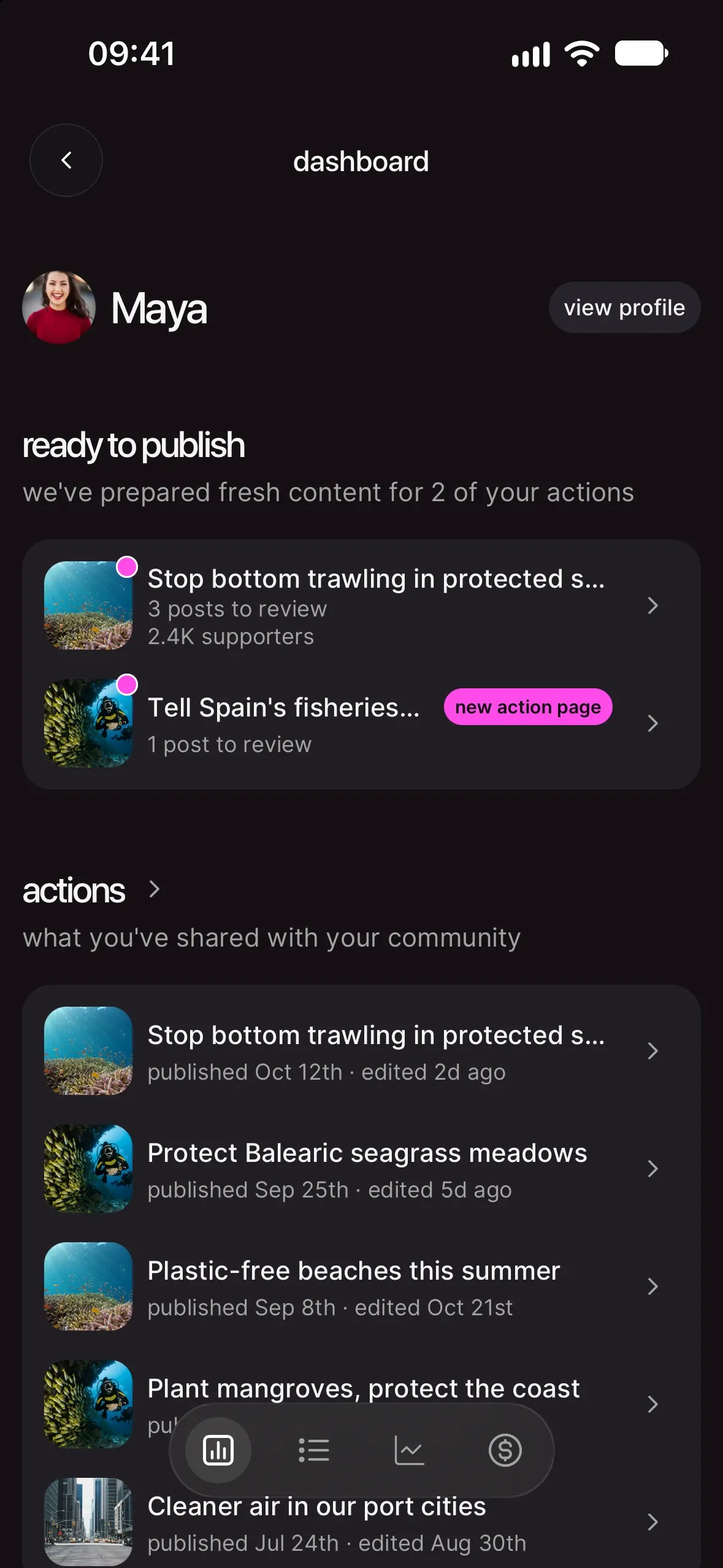
- ready to publish, a section on your dashboard: "we've prepared fresh content for 2 of your actions". Each row is one action, with how many posts wait for you ("3 posts to review") and, once it has supporters, how many it has. A new action page tag means we prepared the whole action. Tap the row to start.
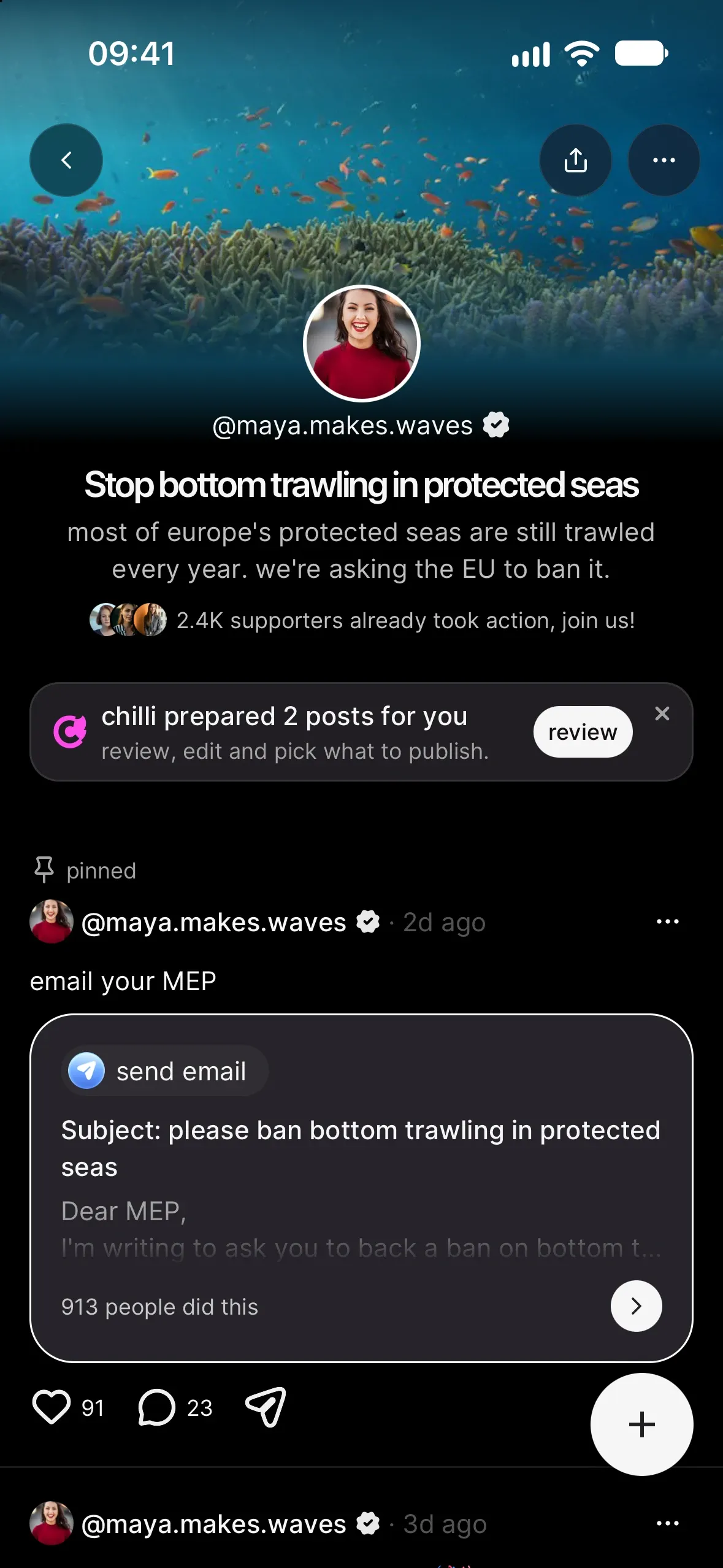
- a banner on your action page. Open your action: if we prepared something for it, the banner says "chilli prepared 2 posts for you". Tap review. (The ✕ hides it for today.)
- the create sheet. Tap +: an action with something waiting shows "3 to review" next to it. Tap that.
- a notification on your phone when something new is ready, as long as notifications are on (in settings, under notifications).
All five lead to the same place: the review screen for that action.
review it, one card at a time
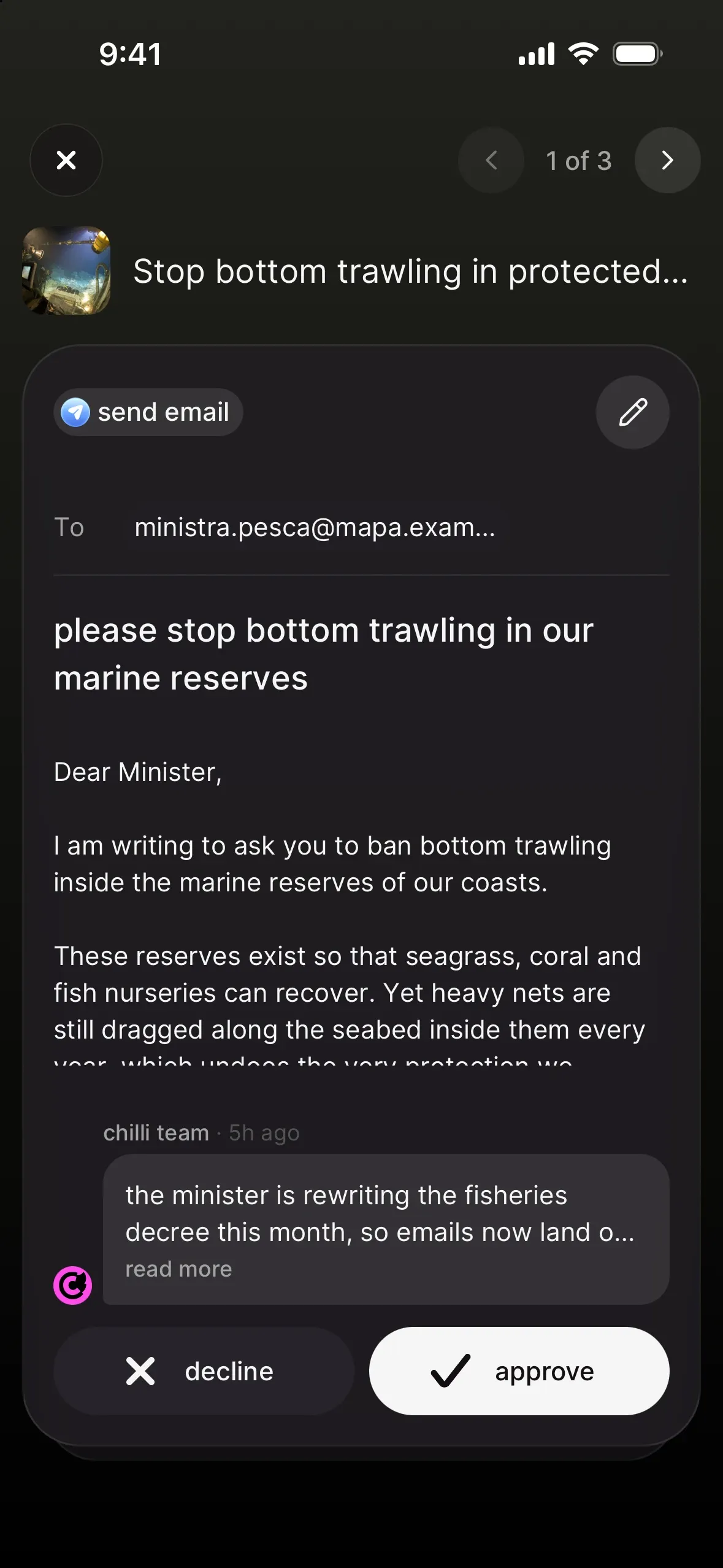
The review screen shows one card per post, with your action's title at the top and a counter like "1 of 3".
- Look at the card. The tag at the top says what the post asks people to do ("send email", "call"...). Below it, you see the call to action as your supporters will see it. A post with an image or a video shows the way it will look in your feed.
- Read our note. At the bottom, a message from chilli team explains why we made it. Tap read more to open "a word from the chilli team", with the full note and the sources. Tap a source to open it in your browser.
- Decide. Like it? Tap approve: the composer opens so you can add your own words (more just below). Not your thing? Tap decline. We ask "decline this post?" first: tap decline again to confirm, or cancel.
- Move on. The next card slides in. To go back and forth, swipe on your phone, or use the arrows at the top anywhere. On a computer, the left and right arrow keys work too.
approve it in your own words
Approving a post opens the composer, with our call to action (or media) already attached. Add the text in your voice: the composer asks "why does this matter to you? a few words from you get way more supporters to take part." The text is required. Then tap publish.
Close the composer without publishing and nothing changes: the card waits for you, still undecided.
change the call to action first
See a pencil at the top right of the card? Tap it to edit the call to action, in the same editor you use when you create one. Editing only saves your changes. Nothing is published yet: you land back on the card, with your version on it, and you still choose approve or decline.
what happens when you say yes
on an action that's already live
Your post goes live right away, and we notify your supporters. The card gets a published stamp and the next one slides in.
on an action that isn't live yet
Nothing goes out yet. The card gets an approved stamp, and your post goes live with your action. Your supporters hear about it then.
a whole new action
When we prepare a new action, it waits for you as a draft. Its cards are its posts: approve the ones you like. Want to change the title, image or subtitle? You can edit the action like any other, before or after it goes live.
the last card
Once every card has a decision, the last one shows what you did ("2 published", or "2 approved" while your action isn't live yet, and "1 declined") and your next step:
- your action has no photo yet: "one last thing", "choose the photo your supporters will see first." Tap choose a photo, then publish action. The photo is always your call: action images: how to pick and frame a photo people stop for.
- your action isn't live yet: "ready to go live?". Tap publish action so your community can start taking part. Want a different image? Tap change photo on the action card first. Not yet? Tap back to dashboard.
- your action is live: "now, tell your supporters". Tap share my action to post the link in your stories, or see my action page.
good to know
can something go out without me?
No. Everything we prepare waits for you. You approve it or decline it, and only then does anything change on your action.
can I edit everything?
Yes. Use the pencil on the card, write your own words when you approve, or edit your action and its posts later, like anything you made yourself.
is it rude to decline?
Not at all. Declining is a normal answer: it's your name on the action. Declined posts are never published (their call to action goes with them), and nobody gets notified.
what if I close the review halfway?
Close it whenever you like. Whatever you haven't decided stays in ready to publish on your dashboard, and the pink dot stays on until you've been through it all.
I run my action with another creator. Who decides?
Either of you can review. Whoever decides first wins. If the other person already approved or declined a card, you'll see "already decided" and move on to the next one.
a card says "no longer available"
That means we took it back (the news changed, or we found a better angle). Nothing to do: the review moves on.
your next move
Got a pink dot or a banner? Open it and go through what we prepared. Then share what you published: share your action: captions, stories and reels that get people moving.