your action page is now a feed: one place for the whole fight
Posts, calls to action and funding now live together in one feed on your action page. Post from the + button in a few taps, pin what matters, and let supporters like and reply.
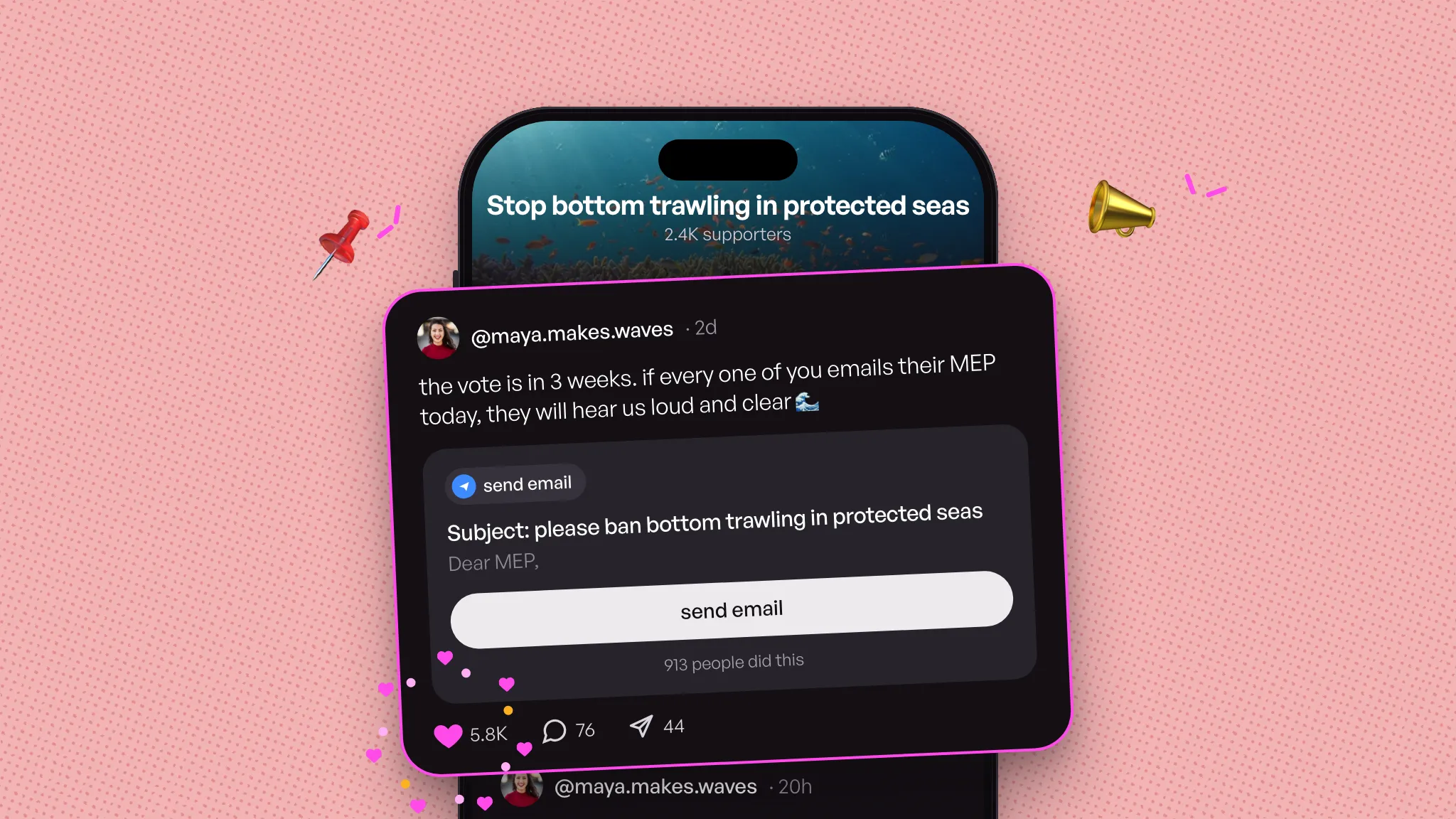
In April and May we rebuilt the action page so one link could tell the whole fight. In June we added updates, and something changed: supporters could watch the fight move. A milestone. An answer from the target. A voice note from you at 6am.
That taught us something. Asking people to act and telling them what happened aren't two jobs. They're one story. A call to action asks your community to show up, the news that follows shows what showing up did, and the next ask builds on it. That's the rhythm of a real fight, so we're putting it all in one place.
Your action page is now a feed. Your calls to action, your news from the fight and your fundraising sit together in one timeline, and supporters can like, comment and reply. Less landing page, more group chat with a mission. It rolls out from the week of 2 November.
one feed for the whole fight
Open any action and you'll see your posts, newest first, with the one you pinned on top. A post can carry a call to action (send an email, call, answer a survey, comment on Instagram and more), and its counter comes with it: "913 people did this".
So someone landing on your page gets the full picture in one scroll: what you're fighting for, what they can do right now, what already happened and why sticking around matters.
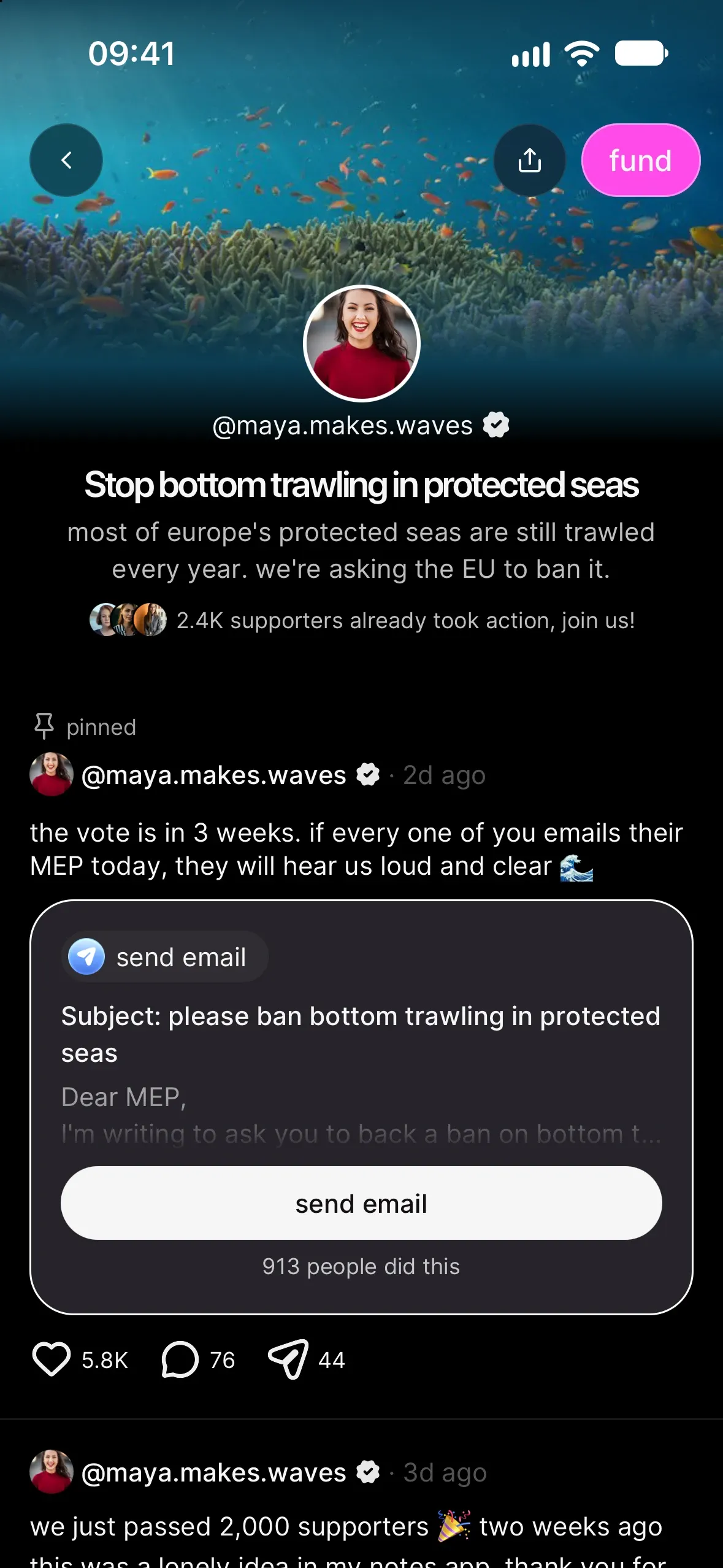
Supporters can like a post, comment on it and reply to each other, and you can answer them right there. Every post has a share button too, so good news travels.
post in a few taps
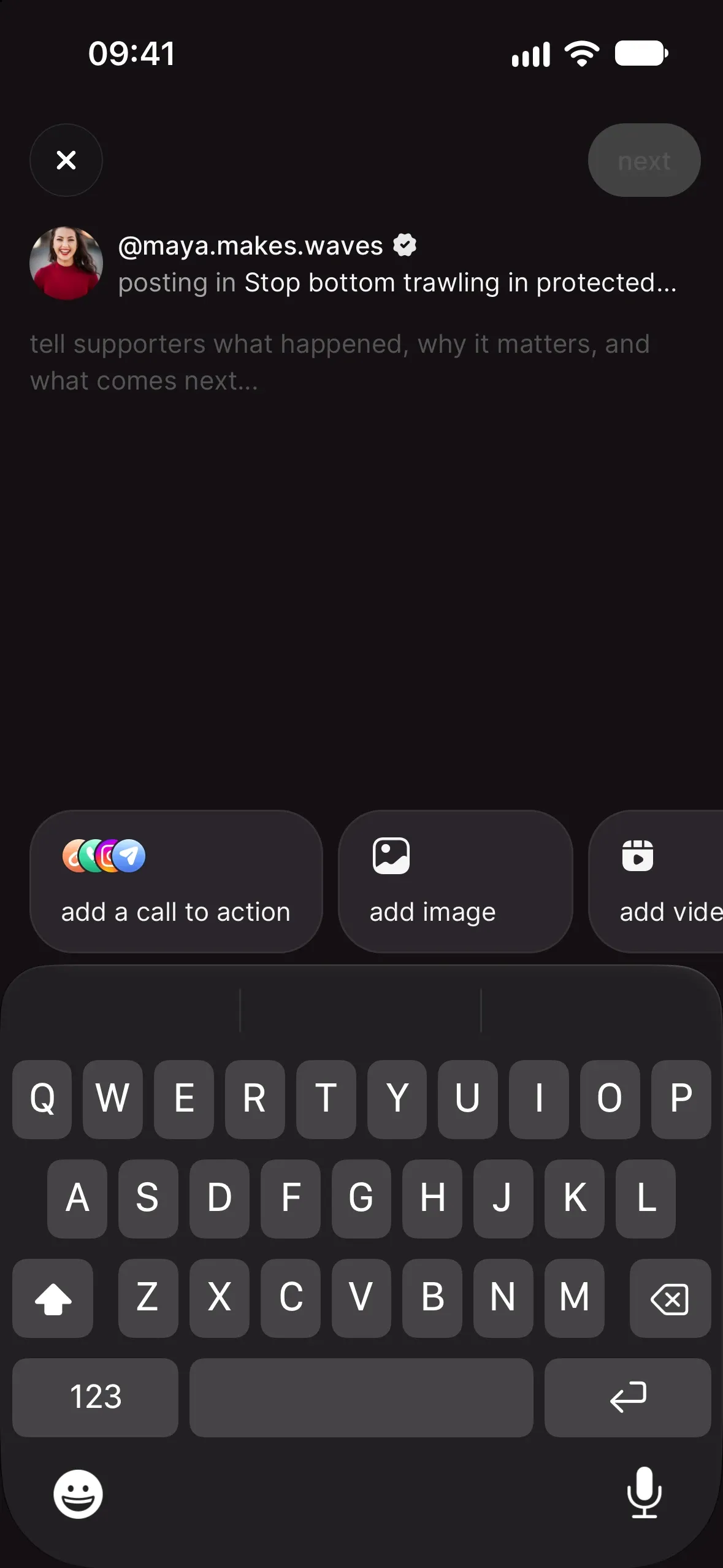
Posting doesn't need a plan anymore. Tap + in the tab bar, pick your action, write.
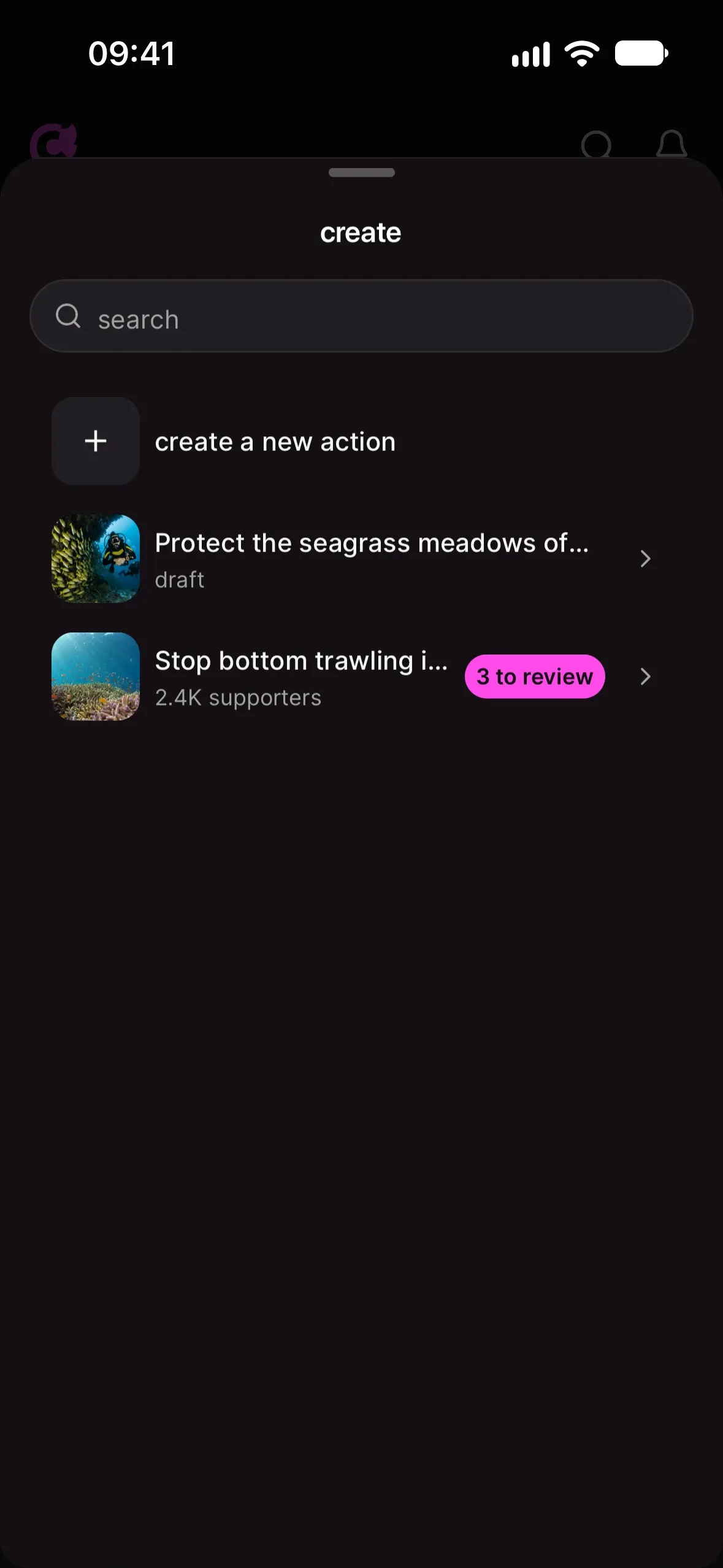
- Tap + and choose the action you're posting in. If the chilli team prepared posts for you, the sheet shows how many are waiting for your review.
- Tell supporters what happened, why it matters and what comes next.
- Add one extra: a call to action, an image, a video or a voice note.
- Tap next, then publish now, or publish later to schedule it for the right moment.
When it's live, we notify your supporters and you can share it straight away.
One post, one job: a post carries a call to action or media, not both. Got a photo from the harbour and a new email to send? Make it two posts. Your feed will look busier, in a good way.
pin what matters most
Your biggest ask deserves the top spot. Open the … menu on any live post and tap pin to top. It stays above everything else until you unpin it. Fast, clear asks work best up there: the recipe is in how to design an action people actually complete.
funding sits next to the work
Once donations are switched on for your account, your fund my work card sits in the feed itself, after your third post: your fundraising story, how far you are from the goal and the fund @yourname button. People see what their money pays for right next to the work it pays for. How it works: set up donations and get funded by your community.
what happens to your live actions
From the week of Nov 2nd, your live actions turn into feeds, at the same links. It's a good moment to read your page like a first-time supporter would: check what's pinned, and tidy anything that reads oddly in its new place. Want it offline while you tidy? Open the … menu at the top of your action page and tap pause action: supporters won't see it until you publish it again, and nothing is lost. Need a hand? The chilli team is on standby, just reach out.
your next move
Post something on your live action today. A photo from the ground, a 30-second voice note, a thank-you with the latest number. Online asks land harder when people can see the real world behind them, so connect the email you're asking for to the meeting, the march or the beach clean it's building toward. More ideas in close the loop: show your supporters their action mattered.
Tell us what you think. We're reading every reply.